Brushes and stroke settings
The seven brushes, what each is good for, and every stroke and Advanced setting.
Seven brushes
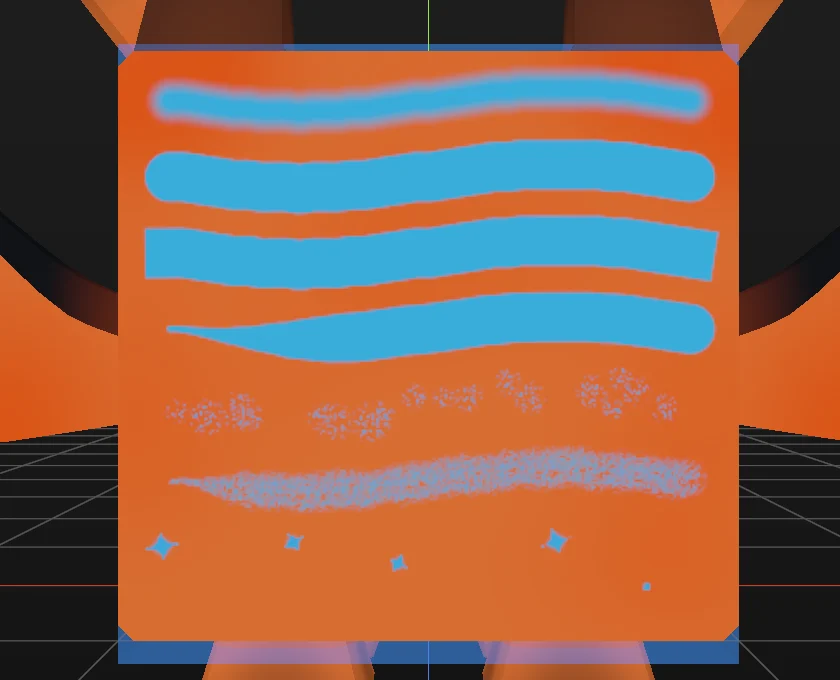
| Brush | Good for |
|---|---|
| Soft round | Blending, blush, shading. The default. |
| Hard round | Crisp shapes and spots. |
| Square | Stripes and blocky edges. |
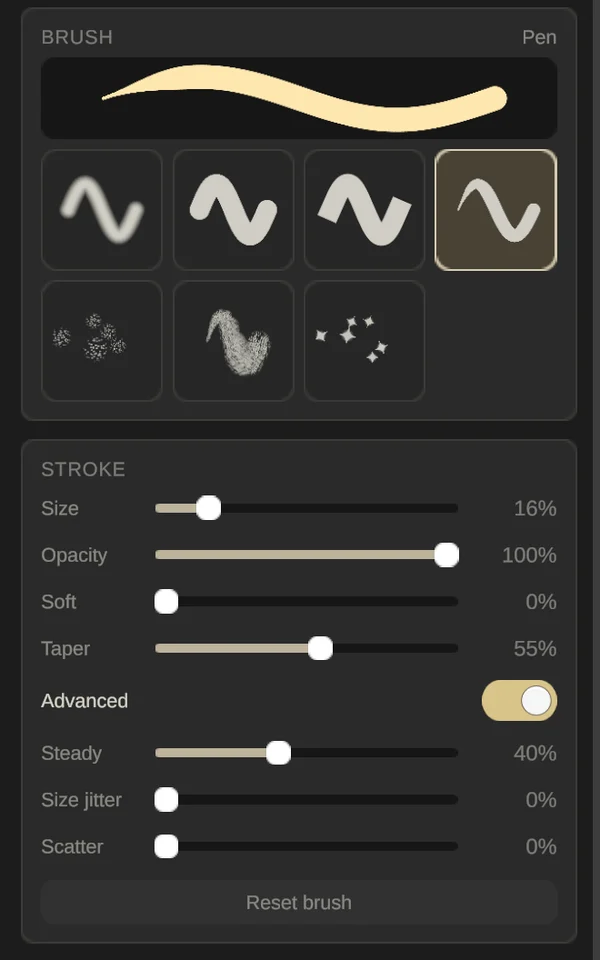
| Pen | Clean outlines that grow in from a fine point. |
| Spatter | Freckles and speckles. |
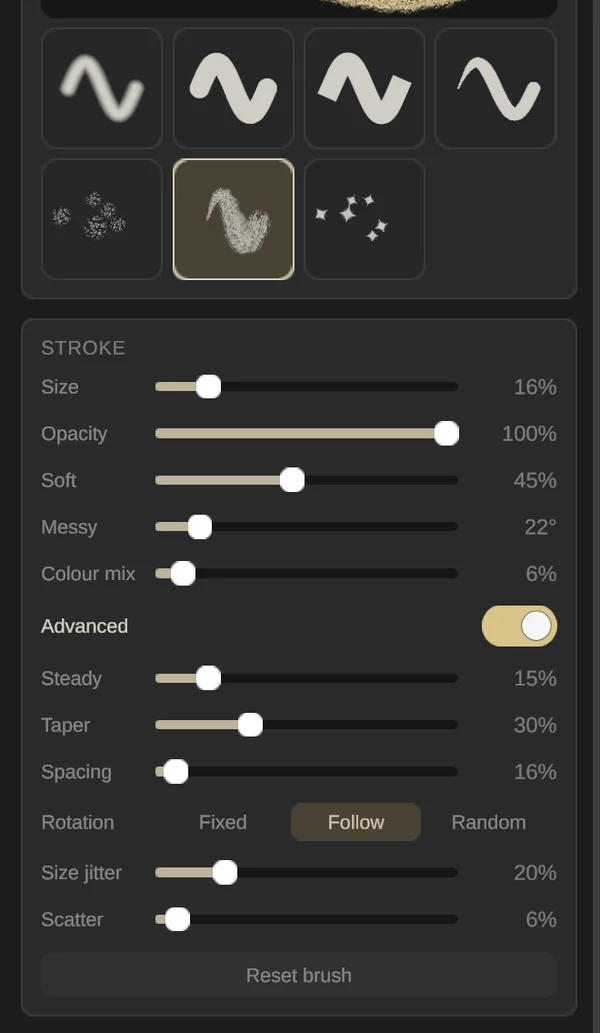
| Fur | Pet texture, in soft strands. |
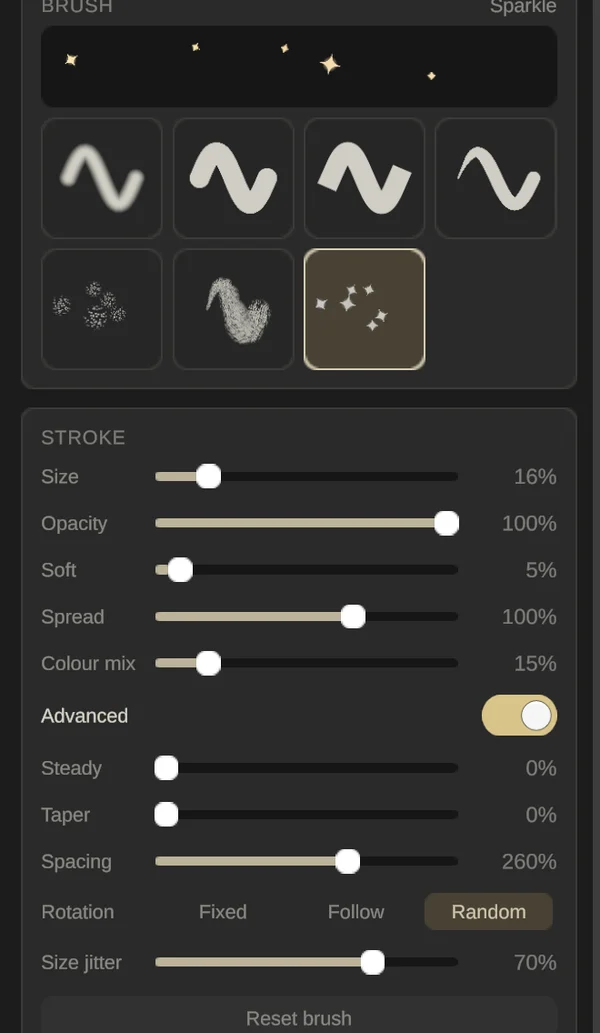
| Sparkle | Glints and four-point stars. |
The Square brush
Square paints with a square tip, so strokes get flat ends and sharp sides. Use it with QuickShape for clean boxes and stripes: a rectangle comes out with sharp, mitred corners.
Stroke settings
- Size: how big the brush is.
- Opacity: how strongly each stroke covers.
- Soft: how far the edge fades. Each brush starts at its own value.
- Taper (Pen): how long the stroke takes to grow in from a fine point.
- Spread (Spatter, Sparkle): how far the dots scatter off your line.
- Messy (Fur): how much each strand turns at random.
- Colour mix (Spatter, Fur, Sparkle): a little random colour change in every dab.
Soft and each brush’s own settings are remembered per brush until you close the app. Size and Opacity are shared by all brushes.
Advanced
Turn on Advanced for more control. Which rows appear depends on the brush.
- Steady: the brush trails your hand to smooth out shaky lines. Pen starts at 40%, Fur at 15%.
- Taper: how long a stroke takes to grow in at its start.
- Spacing: the gap between dabs, on Spatter, Fur and Sparkle.
- Rotation: Fixed, Follow (turns with the stroke) or Random, with Angle and Turn jitter.
- Size jitter: a random size for each dab.
- Scatter: a random sideways nudge for each dab.
Reset brush puts the brush’s own Soft and its other settings back. It keeps your Size and Opacity.